


AVM-360 Deployment Guide — Install & Configure

AVM360 Set up

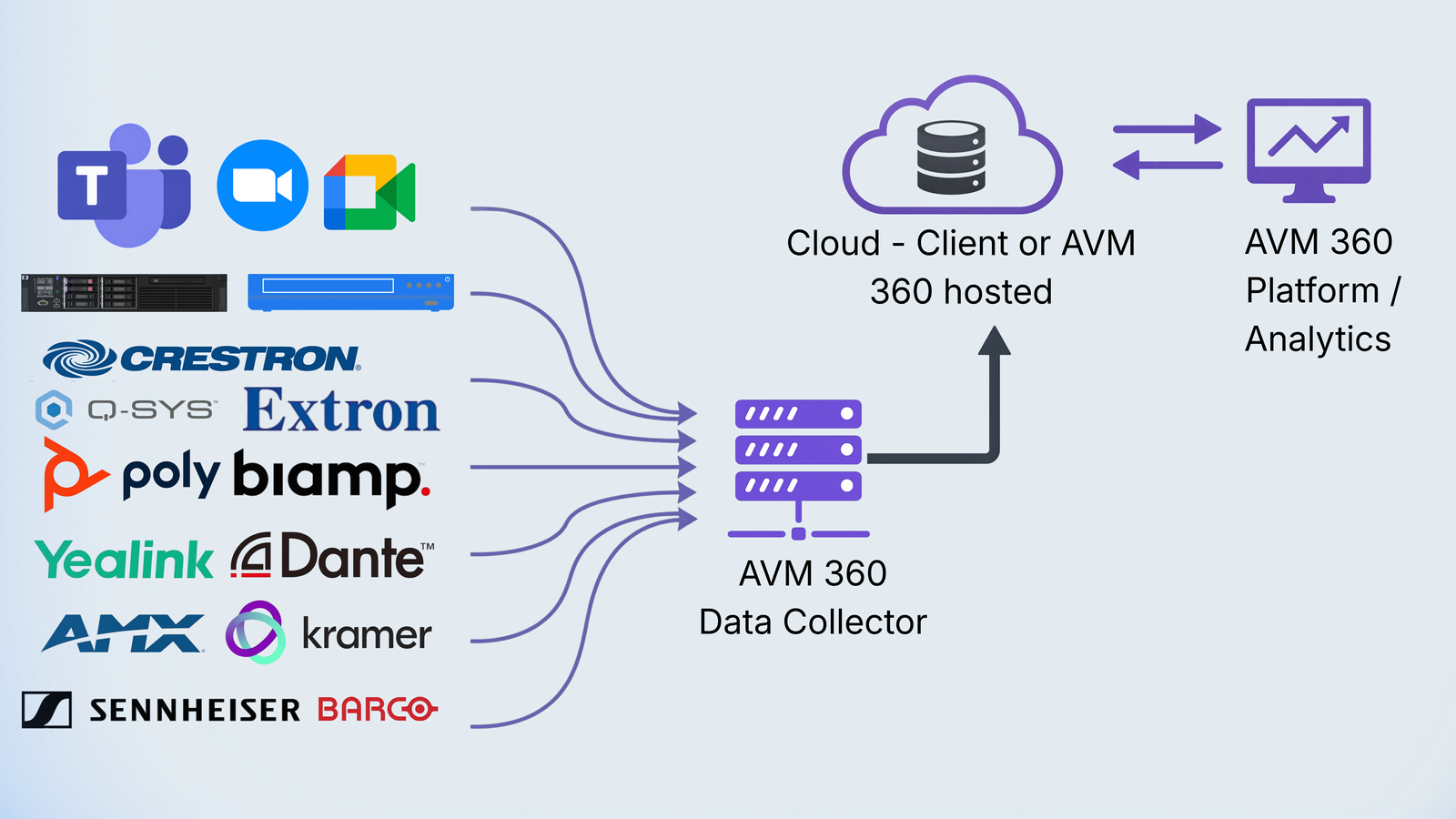
Flexible Architecture To Fit Your Framework

For organisations managing AV monitoring in-house, AVM360 provides a powerful, centralized platform to gain complete control of your entire AV estate. Upgrade your AV experience, making it seamless and reliable across every room. Generate significant savings in service and maintenance costs.

1. Architecture & Data Flow

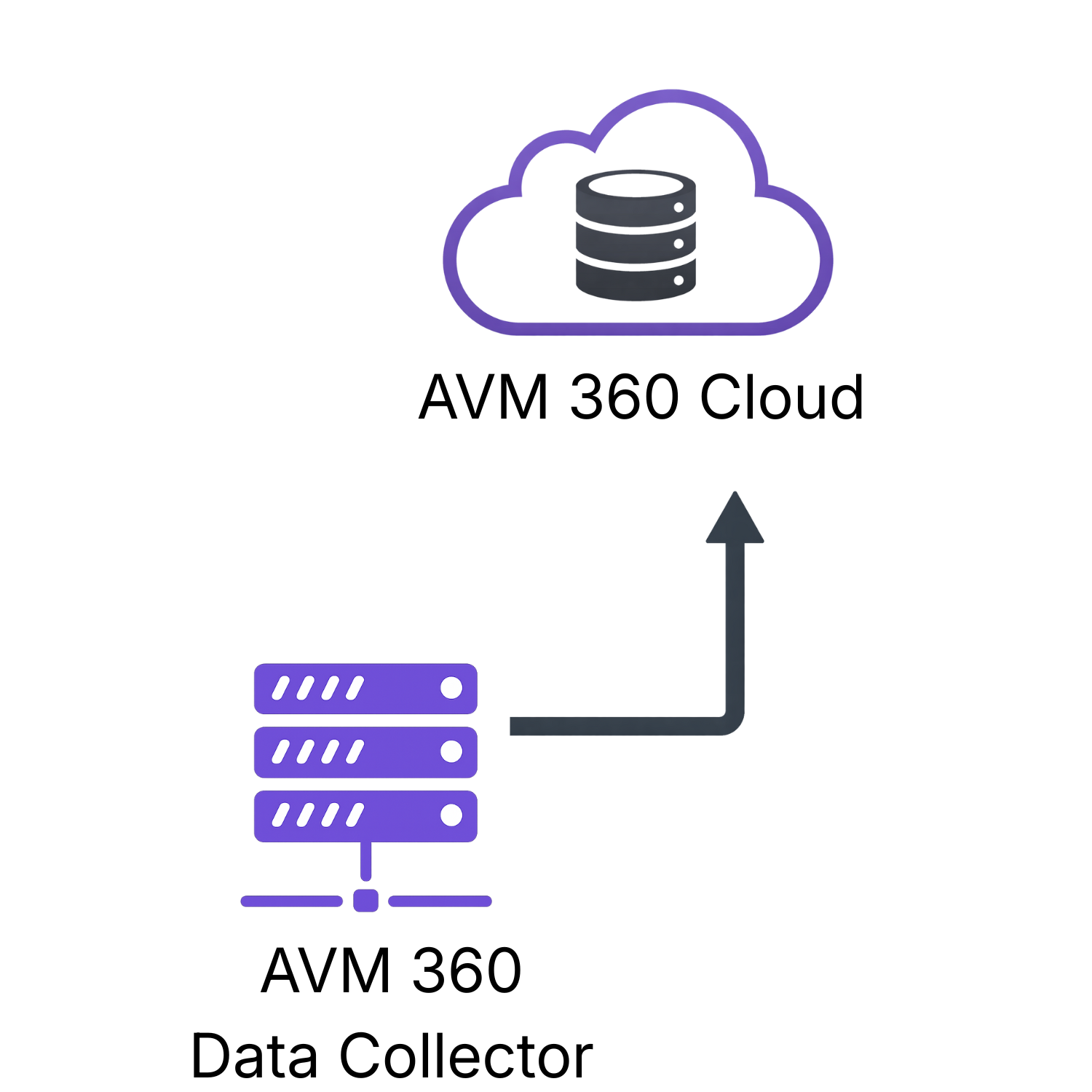
The system operates on a hierarchical structure to ensure data integrity and centralized monitoring:

Phase 1: Local Extraction: The Gateway (The Bridge) pulls real-time data from all AV devices residing on its specific VLAN.

Phase 2: Cloud Uplink: The collected data is pushed from the local Gateway to a Cloud Server (this can be hosted by the client or externally).

Phase 3: Central Consolidation: Data from multiple Gateways, Bridges, or NUCs across different sites/VLANs is consolidated into a single online webserver. This central hub provides a Read-Only interface for global monitoring and reporting.

2. The Gateway (The "Bridge")

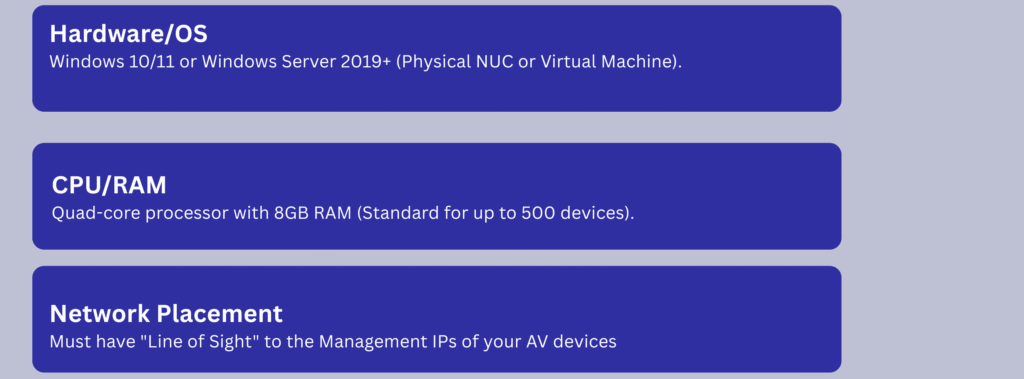
We require a local "Gateway" to communicate with the AV devices. This can be a physical PC or a Virtual Machine (VM).

Hardware & Network

  • Hardware: 1 x NUC or 1 x Windows VM.
  • VLAN Access (Critical): The NUC/VM must have direct access to the AV Device VLAN.
  • Scaling: We require one Gateway per unique AV VLAN.

Specifications & Access

  • Specs: Windows 10/11, Minimum 8GB RAM, 100GB Disk.
  • Software: XAMPP must be installed (or ability to install it) to support local web services and database logic.
  • Remote Access: Remote access via TeamViewer (or equivalent) is required for the Gateway during initial setup and ongoing maintenance.

3. Network Port Requirements

The following ports must be open on the Gateway to allow communication with the AV hardware and external services:

Task Port Protocol Direction
Logo Upload (Web)443TCP (HTTPS)Local → Web Server
Email Alerts587TCP (SMTP)Local → Gmail/Relay
SQL Server with TLS Encryption1433TCPInbound/Outbound

Device-Specific Communication: A final port list for firewall exceptions will be provided once the Bill of Materials (BOM) is confirmed.

4. Documentation Needed

Before we start, please provide the following project data:

  • Master Equipment & Network List: A single document (Excel/CSV) containing the Bill of Materials (BOM) of all devices residing on the network, assigned Static IP addresses, MAC addresses, and web interface credentials.
  • Schematics: PDF showing how devices are interconnected (if available).

5. Site Readiness

Network Check: You must verify the Gateway can "see" (ping) the AV devices on the network before installation begins.

The Local Probe Requirements

To monitor your estate, a dedicated instance must be running on the same network as your AV hardware.

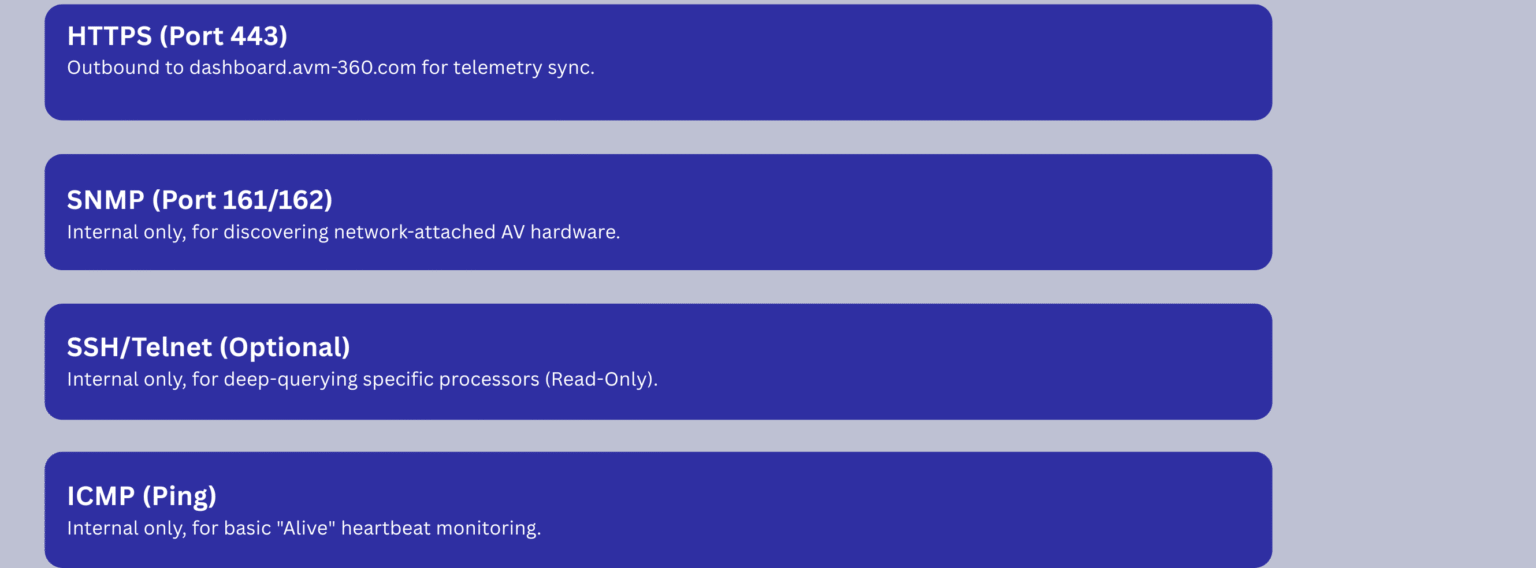
Network & Port Configuration

To ensure the AVM-360 Cloud can receive health data, the following outbound ports must be open on your firewall

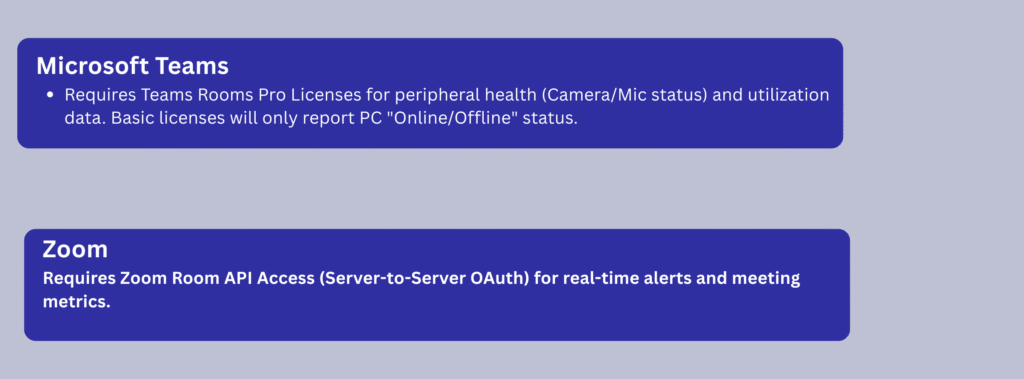
Unified Communications (UC) Integration

To unlock advanced room insights, AVM-360 connects to your collaboration tenants

Simple Set up

Easy to Deploy and Manage

Deploy:

Install the AVM-360 Probe on your VM/PC.

Discover:

Input your AV VLAN range. The probe scans for hardware via SNMP and MAC OUI.

Link:

Authenticate your Microsoft/Zoom tenants via the AVM-360 Cloud portal.

Visualize:

Within minutes, your Honeycomb Grid will populate with live device health and firmware versioning.

Why does the local PC need to talk to the Cloud?

The local PC is the “Translator.” It takes complex, multi-vendor local data (like a Crestron error code) and converts it into a simple JSON packet that our Cloud can understand. It never sends raw network traffic, only status updates.

Enterprise - Grade Security & Trust

Built for global scale, AVM-360 adheres to the strictest security standards required by European and UK enterprises.

ISO 9001

Our platform is hosted exclusively on **Microsoft Azure**, inheriting world-class physical and network security certifications including ISO 9001, SOC 2, and HIPAA.
Outbound-Only Logic

Zero inbound ports required. AVM-360 utilizes encrypted **TLS 1.2 Outbound HTTPS** communication, ensuring your internal AV Management VLAN remains invisible to the public internet.

GDPR Compliant

We process hardware telemetry, not personal data. Our data handling policies fully align with EU & UK GDPR requirements for privacy and data sovereignty.

Request Our Security Whitepaper​

Need to clear AVM-360 with your InfoSec team? Download our comprehensive security architecture guide and network requirements.